Once commitments are secured from all involved subcontractors, the General Contractor can publish the finalized lookahead schedule and set it to active.
An active lookahead enables the GC to:
- Monitor Subcontractor Progress: Track live task updates and completion reported directly by trade contractors.
- Manage Self-Performed Scope: Oversee internal crews, direct labor, and self-performed work items in real time.
- Track Schedule Adjustments & Variances: Easily identify newly added, shifted, or removed tasks compared to the previous period.
Note: The General Contractor retains final schedule approval and can either accept proposed date revisions or publish the original look ahead plan to maintain project alignment.
To publish the lookahead schedule
Ensure you are in the Lookahead screen. If not:
- Click the main menu at the top-left
- Select 'Schedule' under the 'Scheduler' section
- Select 'Look Ahead' on the left
The current active lookahead schedule (if any) opens by default. To view other Lookaheads that are in review or draft status, open the date range drop-down at the top left and select the period.
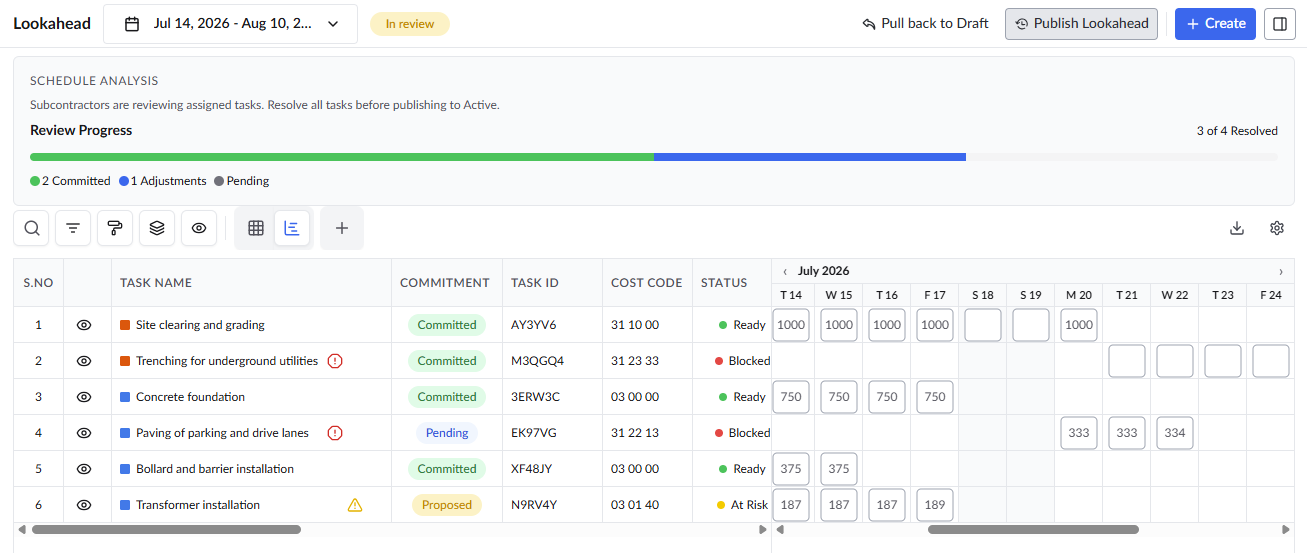
- Review the lookahead
- Click the 'Publish' button on the top right
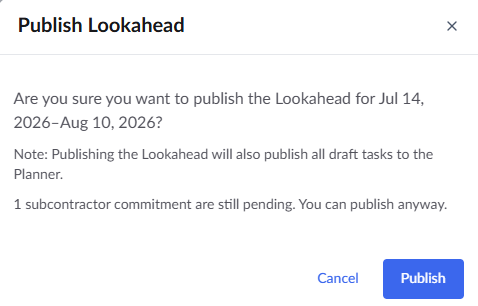
- Click 'Publish' to confirm your action
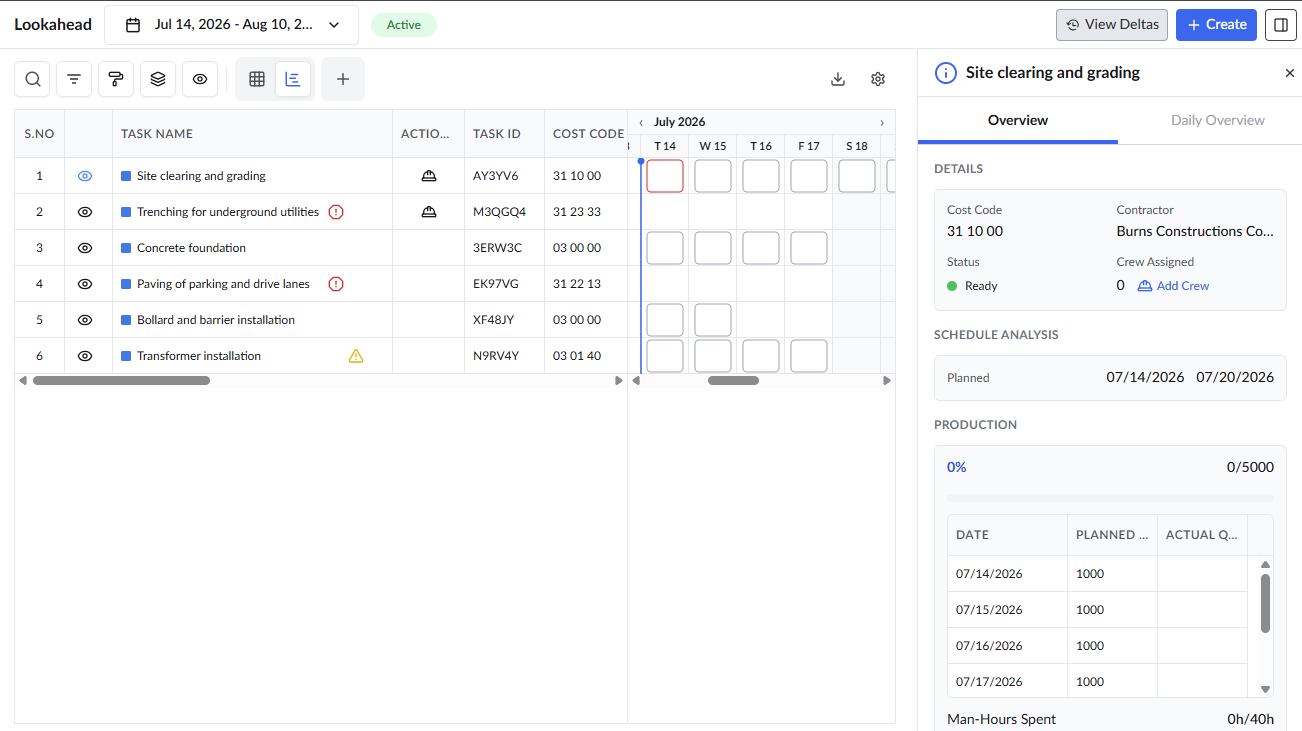
Once a new Lookahead schedule is published, the previously completed or in-progress lookaheads are moved to 'Closed' status.
Was this article helpful?
That’s Great!
Thank you for your feedback
Sorry! We couldn't be helpful
Thank you for your feedback
Feedback sent
We appreciate your effort and will try to fix the article