The company information screen in your project portfolio console allows you to view the details of your organization.
- Ensure that you are on the 'Company Info' screen in the portfolio console, If not:
- Click the main menu at the top-left
- Click 'Project' in the menu drop-down.
- Click 'Company' from the top.
- The 'Company Info' screen opens by default.
- Click the main menu at the top-left
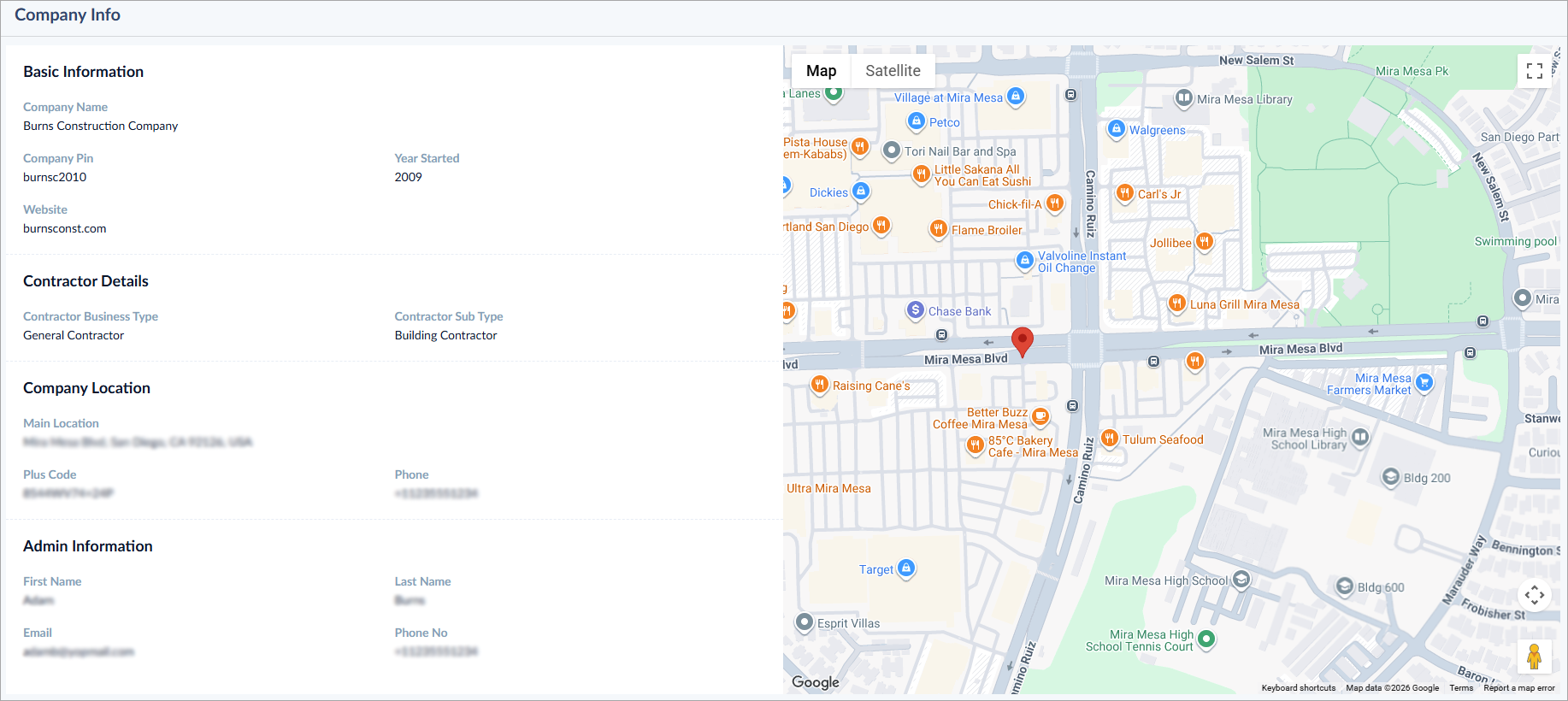
Basic Information:
- Company name - The name of your business organization as registered with Linarc
- Company pin - The pin of your organization in the Linarc database
- Year started - The year in which your organization commenced its business
- Website - The URL of your company website
Business Information:
- Contractor business type - Business category, whether you are a prime/general contractor, sub-contractor, architect, consultant, etc.
- Company sub-type - The sub-category of your business type
Company Location:
- Main location - The official address of your organization
- Plus code – A code based on the longitude/latitude of the office location for easy access
- Phone - The contact phone number of your office
Admin contact:
- First name and Last name –Name of the company admin
- Email - Email address of the admin
- Phone - Admin contact number, with country code
Was this article helpful?
That’s Great!
Thank you for your feedback
Sorry! We couldn't be helpful
Thank you for your feedback
Feedback sent
We appreciate your effort and will try to fix the article