You can remove all locations defined for a project in one action. This is particularly useful when you need to revise the existing locations by re-uploading an updated list or replacing the entire location list with a new one.
Note: You cannot reset the locations when a location field is already linked to a project document or budget items.
To remove the locations defined for a project
- Ensure you are on the 'Location' screen within the 'Project Information' module of the project. If not:
- Click the main menu at the top-left
- Click 'Information' under 'Project' in the menu drop-down.
- The 'Project Information' screen opens by default.
- Select 'Location Tree' on the left.
- Click the main menu at the top-left
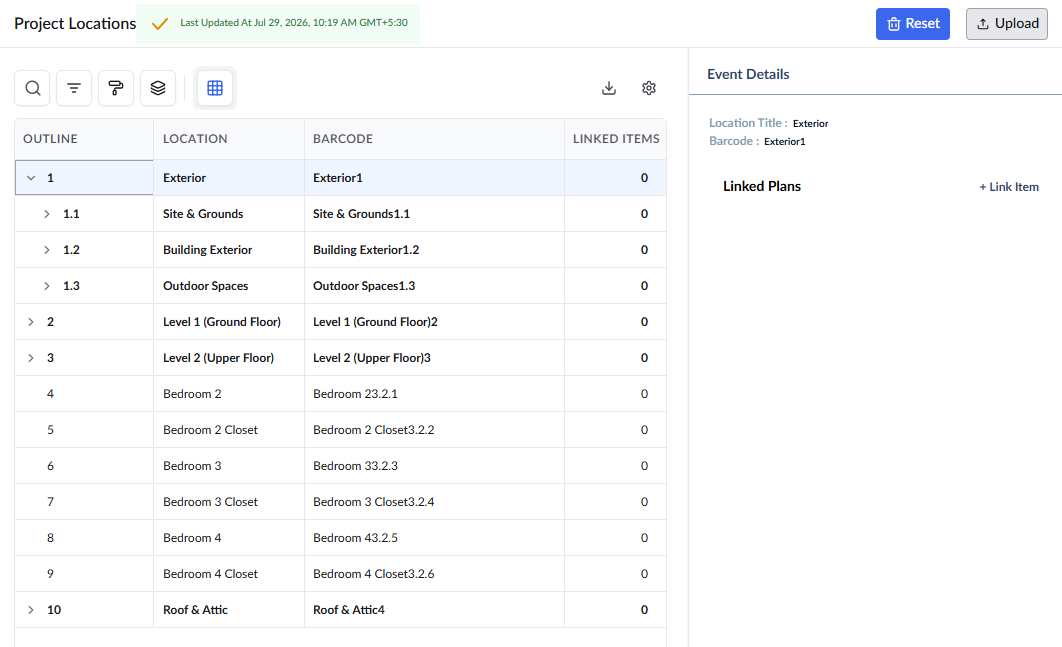
- Click 'Reset' on the top-right
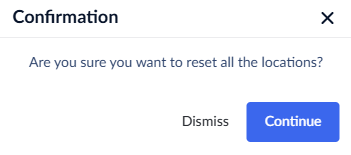
- Click 'Continue' to confirm your action
All entries are removed from the project. The locations will not be available from this point when creating document items like RFI or Submittals.
Was this article helpful?
That’s Great!
Thank you for your feedback
Sorry! We couldn't be helpful
Thank you for your feedback
Feedback sent
We appreciate your effort and will try to fix the article